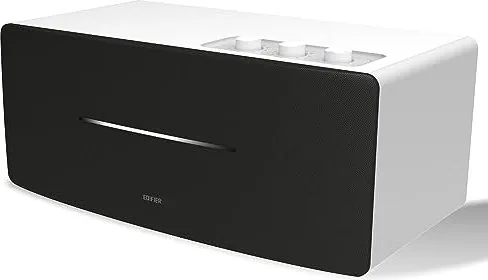
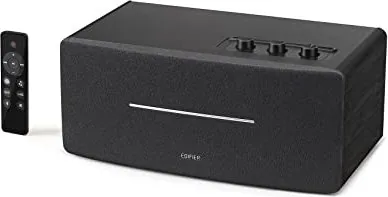
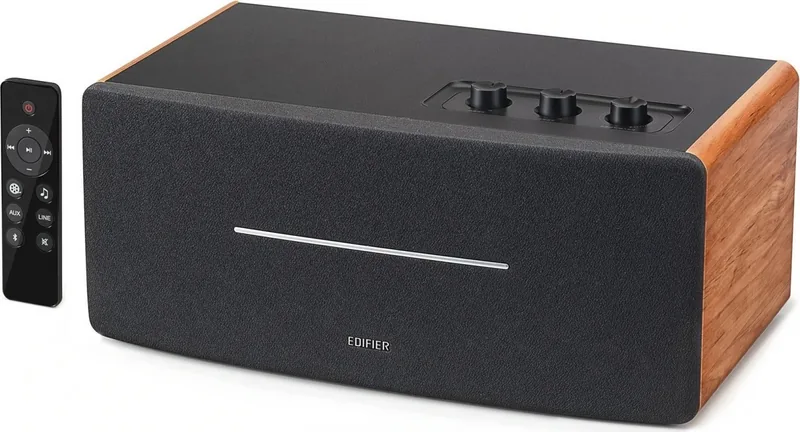
Примечание: Изображение приведено для справки. Конструкция может отличаться.
Иллюстрации
1. Переключатель питания
2. Кабель питания
3. Линейный выход
4. AUX вход
5. Линейный вход
6. Регулятор НЧ
7. Регулятор ВЧ
8. Управление общей громкостью/селектор входа
Переключатель режима входа: нажмите
Отключите Bluetooth: нажмите и удерживайте
(Bluetooth уже подключен)
Включение питания:
нажмите/нажмите и удерживайте
(когда питание выключается дистанционно и
переключатель питания уже включен)
Выключение питания: нажмите и удерживайте
9. Инфракрасный приемник/входной индикатор
Зеленая лампочка непрерывно горит:
AUX/линейный вход
Быстро мигает голубая лампочка:
Bluetooth не подключен
Голубая лампочка непрерывно горит:
Bluetooth уже подключен
Bluetooth вход
Выходная мощность: П/Л (ВЧ): 15 Вт+15 Вт
П/Л (средний диапазон и бас): 20 Вт+20 Вт
Частотный диапазон: 54Hz-20KHz
Звуковой вход: AUX, Линейный вход, Bluetooth
Звуковой выход: Линейный выход
Декларация для ЕС
Частотный диапазон Bluetooth: 2,402 ~ 2,480 ГГц
Радиочастотная выходная мощность: ≤20 дБм (EIRP)
Ограничения на эксплуатацию отсутствуют.
Пульт дистанционного управления (ДУ)
Подключения
Линейный вход
Руководство пользователя
Пульт дистанционного
управления (ДУ)
Колонка
Аудиокабель 3.5 mm-RCA
1. Включение/выключение
2. Увеличение громкости
3. Предыдущая /cледующая запись
(Bluetooth вход)
4. Пауза/воспроизведение
(Bluetooth вход)
5. Уменьшение громкости
6. Режим кино (расширенное
звуковое поле, идеален при
просмотре кинофильмов)
Примечание.
1. Не подвергайте пульт ДУ избыточному нагреву или воздействию влажности.
2. Не заряжайте батарейки.
3. Если изделие не используется длительное время, извлеките из него батарейки.
4. Не подвергайте батарейку сильному нагреву, например, прямой солнечный свет, огонь и т.п.
5. Опасность взрыва при неправильной установке батарейки. Заменяйте использованные батарейки
только на изделия такого же или аналогичного типа.
Установка батареек:
Для открывания отсека для батареек
см. рисунок, вставьте батарейку
CR2032 и закройте отсек.
или
• Нажмите регулятор "volume/input" на колонке для переключения в режим дополнительного
входа AUX (один раз мигнет зеленая лампочка) или в режим входной линии (зеленая лампочка
мигнет два раза).
• Соответственно нажмите кнопку "AUX"/"LINE" дистанционного управления для переключения в
режим дополнительного/линейного входа.
• Нажмите кнопку " " дистанционного управления или регулятор "volume/input" на колонке для
переключения в режим входа Bluetooth – голубая лампочка будет быстро мигать.
• Настройте мобильный телефон на поиск и подключение к "EDIFIER D12", причем после успешного
формирования пары голубая лампочка будет непрерывно гореть.
• Чтобы отключить Bluetooth, нажмите и удерживайте кнопку " " дистанционного управления или
нажмите и удерживайте 2 секунды регулятор "volume/input" на колонке.
Примечание:
• Для использования всех функций Bluetooth данного устройства, пожалуйста, обеспечьте в
подключаемом мобильном устройстве поддержку профиля A2DP(Advanced Audio Distribution
Profile, расширенный профиль распространения аудио) и AVRCP(Audio/Video Remote Control Profile,
профиль дистанционного управления аудио/видео).
• Подключение и совместимость по Bluetooth может отличаться в разных звуковых устройствах в
зависимости от версий программного обеспечения в них.
7. Режим музыки (отлично настроенный
собственный звук, идеален при
прослушивании музыки)
8. AUX вход
9. Линейный вход
10. Bluetooth вход
Hажмите и удерживайте для
отключения Bluetooth
11. Выключение звука
Примечание: В кинорежиме расширение звукового поля будет меняться,
иначе снижается качество звука. Поэтому, пожалуйста, разрешите режим
музыки при прослушивании музыкальных записей.
ПРЕДУПРЕЖДЕНИЕ!
1. Не проглатывать батарейку, Это опасно!
2. Изделие содержит дисковую батарейку. Проглоченная батарейка может вызвать травму или
смерть. Не храните новые или старые батарейки в местах, доступных для детей.
3. Если отсек для батареек закрывается неплотно, прекратите использовать пульт ДУ и храните его
вне доступа детей.
4. В случае подозрений на проглатывание батарейки немедленно обратитесь к врачу.
Устранение
• Проверьте, включен ли динамик.
• Попробуйте увеличить громкость с помощью главного регулятора или на пульте ДУ.
• Убедитесь, что аудиокабели подключены правильно, и в звуковых колонках правильно выбран
вход.
• Проверьте сигнал на выходе источника звука.
Не удается подключиться по Bluetooth
• Убедитесь, что колонка переключена на вход Bluetooth, поскольку в других входных режимах
невозможно создание пары или подключение по Bluetooth.
Отключитесь от Bluetooth-устройства нажав и удерживая кнопку " " в режиме Bluetooth, затем
повторите попытку.
• Рабочий диапазон передачи по Bluetooth составляет 10 метров, поэтому работайте только в этом
диапазоне.
• Попробуйте подключить другое устройство Bluetooth.
Колонка D12 не включается
• Убедитесь, что колонка подключена к сети электропитания, и что розетка сети включена.
Помехи от динамиков
• Колонки фирмы EDIFIER генерируют небольшие помехи, в то время как фоновые помехи
некоторых аудио устройств являются очень большими. Отсоедините аудио кабели и увеличите
громкость, если на расстоянии 1 м из динамика ничего не слышно, значит у этого изделия нет
проблем.
Дополнительные сведения о EDIFIER см. на веб-сайте www.edifier.com
Для запросов к EDIFIER по гарантийным обязательствам посетите страницу соответствующей
страны на www.edifier.com и ознакомьтесь с разделом гарантийных обязательств.
США и Канада: service@edifier.ca
Южная Америка: Информацию о местных представительствах см. на веб-сайте www.edifier.com
(английский язык) или www.edifierla.com (испанский/португальский язык).
Power
Off
On
или
или
Аудиокабель RCA-RCA
SpecificationsTroubleshooting
Box contents
Note: Images are for illustrative purposes only and may differ from the actual product.
Illustration
Bluetooth input
Power output: R/L(treble): 15W+15W
R/L(mid-range and bass): 20W+20W
Frequency response: 54Hz-20KHz
Audio input: AUX, Line in, Bluetooth
Audio output: Line out
Declaration for EU
Frequency Band: 2.402GHz ~ 2.480GHz
RF Power output: ≤20 dBm (EIRP)
There is no restriction of use.
Remote control
Connection
Line in input
User manual
Remote controlSpeaker
3.5mm-RCA audio cable
⑦⑧
⑥
③②①④⑤
⑨
⑦⑧
⑥
③②①④⑤
⑨
⑦⑧
⑥
③②①④⑤
⑨
⑦⑧
⑥
③②①④⑤
⑨
⑦⑧
⑥
③②①④⑤
⑨
⑦⑧
⑥
③②①④⑤
⑨
⑦⑧
⑥
③②①④⑤
⑨
⑦⑧
⑥
③②①④⑤
⑨
1. Power on/off
2. Volume up
3. Previous track/next track
(Bluetooth input)
4. Pause/play
(Bluetooth input)
5. Volume down
6. Movie mode
(extended sound field,
ideal for watching movie)
Note:
1. Do not place the remote control in places that are hot and humid.
2. Do not charge the batteries.
3. Remove the batteries when unused for a long period of time.
4. The battery should not be exposed to excessive heat such as direct sun, fire or similar.
5. Danger of explosion if battery is incorrectly replaced. Replace only with the same or equivalent type.
Battery loading:
Please refer to the illustration to open the battery
compartment, insert the CR2032 battery and
close the compartment.
or
• Press the "volume/input" dial on the speaker to switch to AUX input (green light flashing once) or Line in input (green light
flashing twice).
• Respectively press the "AUX" / "LINE" button on the remote control to switch to AUX/Line in input.
• Press the " " button on the remote control or press the "volume/input" dial on the speaker to switch to Bluetooth input,
blue light will flash rapidly.
• Set your mobile phone to search for and connect to "EDIFIER D12", after pairing is successful, the blue light will be steady lit.
• To disconnect Bluetooth, press and hold the " " button on the remote control or press and hold the "volume/input" dial on
the speaker for 2 seconds.
Note:
• To enjoy all Bluetooth functions of this product, please ensure your audio source device has A2DP (Advanced Audio Distribution
Profile) and AVRCP (Audio Video Remote Control Profile) profile.
• Bluetooth connectivity and compatibility may differ amongst different source devices, depending on the software versions of
source devices.
7. Music mode
(highly restored on-site sound,
ideal for listening to music)
8. AUX input
9. Line input
10. Bluetooth input
Press and hold to disconnect Bluetooth
11. Mute
Note: In Movie mode, the sound quality will be changed or distorted when the sound field is
extended. Therefore, please enable Music mode when listening to music.
WARNING!
1. Don’t swallow the battery; danger of chemical burn.
2. The product includes a wafer battery. Swallowing this battery may lead to injury or death. Do not place the new or old battery
in where children can get to it.
3. Don’t use the product if the battery cover is missing or not closed, and keep the remote inaccessible to children.
4. Please go to the hospital immediately if the battery is swallowed.
No sound
• Check if the speaker is ON.
• Try to turn up the volume using the volume control or remote control.
• Ensure the audio cables are firmly connected and the input is set correctly on the speaker.
• Check if there is a signal output from the audio source.
Cannot connect via Bluetooth
• Make sure the speaker is switched to Bluetooth input. If it is in other audio input modes, Bluetooth will not
connect. Disconnect from any Bluetooth device by pressing and holding the " " button, then try again.
• Effective Bluetooth transmission range is 10 meters; please ensure that operation is within that range.
• Try another Bluetooth device for connection.
The D12 does not turn on
• Check if main power is connected, or if the wall outlet is switched on.
Noise coming from speakers
• EDIFIER speakers generate little noise, while the background noise of some audio devices are too high. Please
unplug audio cables and turn the volume up, if no sound can be heard at 1 meter away from the speaker, then
there is no problem with this product.
1. Power switch
2. Power cable
3. Line out
4. AUX input
5. Line in
6. Bass dial
7. Treble dial
8. Volume control/input selector
Input mode switch: press
Disconnect Bluetooth: press and hold
(Bluetooth already connected)
Power on: press/press and hold
(when powered off via remote control,
and power switch already turned on)
Power off: press and hold
9. Infrared receiver/input indicator
Green light steady lit: AUX/Line in
Blue light flashing rapidly: Bluetooth unconnected
Blue light steady lit: Bluetooth already connected
Power
Off
On
or
or
To learn more about EDIFIER, please visit www.edifier.com
For EDIFIER warranty queries, please visit the relevant country page on www.edifier.com and review the section
titled Warranty Terms.
USA and Canada: service@edifier.ca
South America: Please visit www.edifier.com (English) or www.edifierla.com (Spanish/Portuguese) for local contact
information.
RCA-RCA audio cable
Substituição e instalação da bateria
Rode a tampa da bateria no sentido da seta e
retire-a, instale corretamente a bateria CR2032
no respetivo compartimento e, em seguida,
feche a tampa da bateria.
User manual | Manuel d’utilisateur | Manual de usuario | Bedienungsanleitung | Manuale dell’utente
Manual do utilizador |
ユーザーズガイド | Руководство пользователя
11
Français
12
Français
13
Français
14
Français
15
Français
16
Français
17
Français
20
Français
19
Français
18
Français
21
Español
22
Español
23
Español
24
Español
25
Español
26
Español
30
Español
29
Español
28
Español
27
Español
38
Deutsch
37
Deutsch
31
Deutsch
32
Deutsch
36
Deutsch
35
Deutsch
40
Deutsch
39
Deutsch
34
Deutsch
33
Deutsch
41
Italiano
45
Italiano
48
Italiano
47
Italiano
49
Italiano
46
Italiano
42
Italiano
50
Italiano
44
Italiano
43
Italiano
52
Português
54
Português
56
Português
55
Português
58
Português
57
Português
60
Português
59
Português
53
Português
51
Português
63
日本語
64
日本語
65
日本語
66
日本語
67
日本語
68
日本語
69
日本語
70
日本語
61
日本語
62
日本語
73
Русский
74
Русский
75
Русский
76
Русский
77
Русский
78
Русский
79
Русский
80
Русский
71
Русский
72
Русский
版本号及料号: V1.0/IB-200-D12000-00
名 称: D12(英法西德意葡日俄)说明书
材 质:
尺 寸: 127×127(MM) 校 对:
批 准:
东莞市漫步者科技有限公司
80g书纸
(
封面和底面用100g书纸)
对折,胶装
/1
%
Vérification rapide
Je ne suis pas un robot
Réponse incorrecte, veuillez réessayer.
Discutez avec votre manuel Edifier D12 grâce à l'IA
Obtenez des réponses instantanées par IA à partir de votre manuel Edifier D12
Posez toutes vos questions concernant le Edifier D12. Les réponses proviennent de ce manuel, avec les pages dont elles sont tirées.
Poser une Question
0/1000
Recommandez-vous D12?
OuiNon
Foire aux
Questions
A
Allumez l'enceinte et appuyez sur le sélecteur d'entrée jusqu'à ce que la lumière bleue clignote rapidement. Sur votre téléphone, recherchez 'EDIFIER D12' dans les paramètres Bluetooth et sélectionnez-le. Une fois connecté, la lumière bleue restera allumée.
Cette réponse est-elle utile?
A
Le mode Cinéma élargit le champ sonore pour une expérience plus immersive idéale pour regarder des films. Le mode Musique fournit une signature sonore hautement restaurée et précise parfaite pour écouter des enregistrements musicaux.
Cette réponse est-elle utile?
A
Oui. Vous pouvez connecter des appareils externes en utilisant l'entrée AUX avec un câble 3,5mm ou l'entrée Line In avec des câbles RCA. Il suffit de changer le mode d'entrée à l'aide du sélecteur ou de la télécommande.
Cette réponse est-elle utile?
A
Pour déconnecter, maintenez le bouton Bluetooth sur la télécommande ou le sélecteur de volume/entrée sur l'enceinte enfoncé pendant deux secondes lorsque vous êtes en mode Bluetooth.
Cette réponse est-elle utile?
A
Vérifiez d'abord que l'enceinte est allumée et que le volume est monté. Vérifiez que les câbles audio sont correctement connectés et que la bonne source d'entrée est sélectionnée. Assurez-vous que votre appareil source émet effectivement du son.
Cette réponse est-elle utile?
A
Non, la télécommande utilise une pile bouton CR2032 qui n'est pas rechargeable. Remplacez-la par un type équivalent lorsque la pile est vide.
Cette réponse est-elle utile?
A
La portée de transmission effective est de 10 mètres. Assurez-vous que votre appareil reste dans cette distance pour une connexion stable.
Cette réponse est-elle utile?
M: QW-35-FL
Avantageset Inconvénients
Avantages
Sortie audio de haute qualité avec 40W de puissance totale
Options de connectivité polyvalentes incluant Bluetooth, AUX et Line In
Modes Cinéma et Musique dédiés pour différents types de contenu
Inclut une télécommande pour une opération pratique
Molettes de basses et d'aigus réglables pour un réglage sonore personnalisé
VS
Inconvénients
Portée Bluetooth limitée à environ 10 mètres
Pas de batterie rechargeable intégrée ; nécessite une prise de courant constante
La télécommande utilise une pile bouton non rechargeable
Le mode Cinéma peut déformer la qualité sonore pour l'écoute de musique
Les indicateurs LED peuvent être difficiles à voir dans des environnements lumineux
M: QW-35-FL
Produit
Spécification
Alimentation
70 W RMS
Affichage
Non
Pédales
Non
Plage de fréquences
54 Hz-20 kHz
Connexions
Entrée AUX (prise 3,5 mm), entrée ligne stéréo (RCA), sortie ligne stéréo (prise 3,5 mm)
Sans fil
Bluetooth 5.0
Alimentation électrique
Courant alternatif
Fonctions
Télécommande
Dimensions
35,9 x 20,3 x 15,9 cm (LxPxH)
Poids
4,6 kg
M: QW-35-FL
Description du Produit
Découvrez l'enceinte stéréo Bluetooth Edifier D12
L'Edifier D12 est une enceinte stéréo polyvalente conçue pour offrir un son de haute qualité à votre configuration de divertissement domestique. Que vous diffusiez de la musique sans fil ou que vous vous connectiez via des câbles traditionnels, cet appareil offre une expérience d'écoute fluide. Avec son design élégant et son ensemble de fonctionnalités robuste, il se distingue comme un excellent choix aussi bien pour les audiophiles que pour les auditeurs occasionnels.
Au cœur du D12 se trouvent des haut-parleurs doubles puissants capables de délivrer 40 watts de sortie totale. Le système sépare efficacement les fréquences, offrant des aigus nets de 15W par canal et des basses profondes et résonantes ainsi que des tons médiums de 20W par canal. Cet équilibre garantit que chaque note de votre playlist préférée est reproduite avec clarté et profondeur. La réponse en fréquence varie de 54Hz à 20KHz, couvrant la grande majorité des sons audibles.
La connectivité est là où le D12 brille vraiment. Il prend en charge plusieurs méthodes d'entrée, notamment Bluetooth, AUX et Line In. Le module Bluetooth fonctionne dans la bande standard de 2,4GHz, permettant une connexion stable jusqu'à 10 mètres. Une fois appairé avec votre smartphone ou votre tablette, le voyant bleu confirme une liaison réussie. Pour ceux qui préfèrent les connexions filaires, le panneau arrière dispose d'entrées dédiées pour les câbles RCA et 3,5mm, le rendant compatible avec les appareils plus anciens et les ordinateurs modernes.
La télécommande incluse ajoute une couche de commodité, vous permettant de gérer le volume, de changer de piste et de basculer entre les modes sans quitter votre siège. Deux profils sonores distincts sont disponibles : le mode Cinéma élargit le champ sonore pour des expériences cinématographiques immersives, tandis que le mode Musique restaure la fidélité originale de vos enregistrements pour une écoute acoustique pure. Les utilisateurs peuvent également ajuster les niveaux de basses et d'aigus à l'aide des molettes sur l'enceinte pour adapter le son à leurs préférences personnelles.
L'installation est simple, nécessitant uniquement un câble d'alimentation et votre source audio choisie. L'appareil dispose d'indicateurs LED clairs pour afficher le statut de l'entrée actuelle, assurant que vous savez toujours quel mode est actif. Les avertissements de sécurité concernant la pile bouton dans la télécommande sont proéminents, soulignant l'importance de garder les piles de rechange hors de portée des enfants.
Résumé des caractéristiques principales
Sortie puissante : 15W d'aigus + 20W de basses/médiums par canal pour un son riche.
Support multi-entrées : Connectez-vous via Bluetooth, AUX ou Line In facilement.
Télécommande : Fonctionnalité complète pour le volume, la lecture et le changement de mode.
Modes sonores : Choisissez entre le mode Cinéma pour les films et le mode Musique pour les albums.
EQ réglable : Molettes dédiées pour régler finement les niveaux de basses et d'aigus.
Notes importantes
Assurez-vous toujours que le couvercle de la pile est bien fermé sur la télécommande pour prévenir tout risque d'ingestion accidentelle. Si vous rencontrez des problèmes de bruit, vérifiez qu'aucun autre appareil audio ne génère un interférence de fond excessive. Pour le support sous garantie, visitez le site officiel Edifier pour votre région spécifique.