Manual.ly Logo

Ksix TrueBuds 3 Mode-D-Emploi

0,0 · 0 Notes

Manuel PDF · 19 Pages

Français

M: QW-35-FL
page

/ 19

Loading...
b1cd6628ba4a539ec125a90dae691a06387d page 1
TRUE BUDS 3
Earphones
User manual
Technical information
Bluetooth version: 5.0
Bluetooth profile: A2DP / AVRCP / HFP
Transmission range: ≈ 10 m
Sensitivity: 104 ± 3 dB
Frequency range: 20 ~ 20 000Hz
Impedance: 32 Ω
Weight: 36 g
Single earbud weight: 3.9 g
Play time: ≈ 3 hours
Standby time: ≈ 300 hours
Charging time for the charging case: ≈ 2 hours
Earbud charging time: ≈ 2 hours
Charging case battery capacity: 320mAh
Earbud battery capacity: 40mAh
Input: 5V – 1A
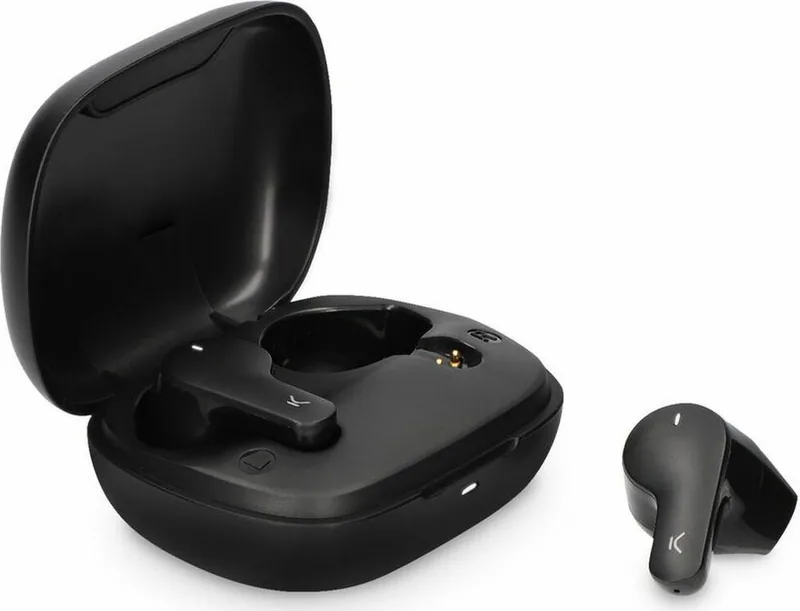
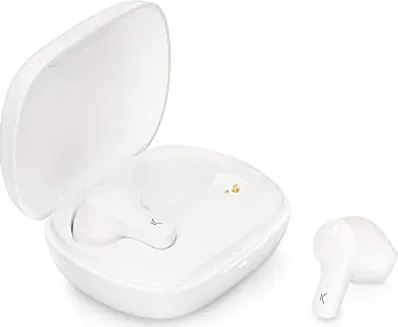
In the box
1 x charging case
2 x earphones
1 x type C charging cable
How to connect the earphones
Turning on
The earphones are automatically turned on when the charging case is opened.
If they are out of the charging case, long press the touch surface of both earphones for 3
seconds to turn them on. The red and white indicator lights will flash for 1 second and the
word “Connected” will be heard.
Pairing (first use)
Open the charging case. The indicator light of both earphones will alternately flash red and
white. After 10 seconds, the earphones will pair automatically, and the indicator light will
start flashing red and light slowly. This means they are ready to be paired with the device.
Enable the Bluetooth function on your device, search for a device named TRUEBUDS3 and
select “connect”. Once the connection has been successful, the word “Connected” will be
heard.
If the device Bluetooth version is lower than 3.0, enter the default security code 0000
when the password window pops up
Turning o
Introduce the earphones in the charging case and close the cover to turn them o.
They can also be turned o by holding pressed the touch surface of both earphones for 5
seconds. The red and white indicator lights will flash for 1 second and the word “Powered
o”.
The earphones are turned o automatically after 3 minutes of disconnection from the
device.
How to use
Use the touch surface to change from one song to another and to manage incoming calls.
• Play/Pause: Short press the touch surface of any of the earphones.
• Previous/Next song: Long press the touch surface of the left earphone for 2 seconds to
go back to the previous song. Long press the touch surface of the right earphone for 2
seconds to change to the next song.
• Answer/Hang up a call: When a call comes in, short press the touch surface of any of the
earphones to answer it. Once the call is in process, short press the touch surface of any of
the earphones to hang it up.
• Reject a call: When a call comes in, long press the touch surface of any of the earphones
for 2 seconds to reject it.
• Reset: When both earphones are o, long press the touch surface of both earphones for 8
seconds to reset the pairing information.
• Siri: Short press the touch surface of any of the earphones three times to open Siri.
How to charge
When the earphones have low battery, the indicator light will flash red slowly, and the
phrase “Battery low” will be heard.
Charging the earphones
Introduce both earphones in the charging case and close the cover. Please, check that both
earphones are correctly introduced in the case. The indicator light of the charging light will
turn on, and the indicator lights of both earphones will turn red.
Once the earphones are fully charged, the indicator light will fade. It takes about 2 hours to
charge the earphones completely. A fully charged charging case can be used to charge the
earphones more than 2 times.
Charging the charging case
Please, use a 5V-1A charger. During charging, the charging case indicator light will flash red.
When it is fully charged, the red light will turn into static mode. It takes about 2 hours to
charge the charging case completely.
Maintenance recommendations
• Regularly clean the product with a dry cloth. The product must be disconnected or
switched o when you clean it.
• Keep the connectors and/ or ports free from dust, lint, etc. to prevent improper
connections.
• Avoid breaking the device. Do not put objects over it or bend it too strong.
• If the product includes a cable do not bend it too strong and do not pull from it to unplug
the product.
• Do not wet the product. Keep it always in a dry place, away from humidity.
• When not using the product, store it in a place free from dust, dirt, lint, liquids, etc.
z• If water or other liquids enter the product interior, unplug it immediately from any
attached power source or device it is connected to.
• Avoid dropping or hitting the product. It might be damaged.
• Do not use the product for anything other than its intended use.
• Please recycle the product in accordance with local environmental laws and regulations.
Safety information
Please read the following instructions before using the device for the first time:
• When you use device keep it away from heat sources (fire) and from humidity sources
(water and other liquids).
• If the product is wet or damaged do not us it.
• Do not use the product with wet hands.
• Do not leave the product in contact with flammable materials.
• Do not expose the product to high temperatures (for example: inside a car during hot
weather)
• Do not throw the product into fire.
• Keep the product away from children.
• Disconnect or switch o the product if you are not going to use for a long period of time.
• Do not use the device if you perceive any visible defects.
• Do not attempt to open or puncture the product. You might damage it.
• Do not use the product with incompatible devices.
• Do not dismount or modify the product. These actions will invalidate the Warranty.
Legal Note
Hereby, Atlantis Internacional S.L. declares that this product is in compliance with the
essential requirements and other relevant provisions of Directive 2014/53/EC.
The features and functions described in this manual are based on tests made by Atlantis
Internacional S.L. It is the user’s responsibility to examine and verify the product after its
purchase. Atlantis Internacional S.L. is not responsible and will never be liable for any
personal loss or injury, economical loss, material loss or any damage due to misuse, abuse
or improper installation of the product.
For electronical devices with Bluetooth: Atlantis Internacional S.L. is not responsible and
will never be liable for any function, communication and connection failure between the
product and Bluetooth enabled devices.
Electronic and electrical devices disposal
This symbol indicates that electrical and electronic equipment is to be collected separately.
• This product is designated for separate collection at an appropriate collection point. Do
not dispose of as household waste.
• The final price of this product includes the cost necessary for the correct environmental
management of the generated waste.
• If the equipment uses batteries, they must be removed from the equipment and disposed
in an appropriate collection center. If the batteries cannot be removed, do not
attempt to do it yourself since it must be done by a qualified professional.
• Separate collection and recycling helps conserve natural resources and prevent negative
consequences for human health and the environment that might result from incorrect
disposal.
• For more information, contact the retailer or the local authorities in charge of waste
management.
CE Declaration of Conformity
We hereby declare that the product (s) listed below satisfies the provision for CE-marking
according to the following European directive(s):
EN 55032:2015/A11:2020
EN IEC 61000-3-2:2019
EN 61000-3-3:2013/A1:2019
EN 55035:2017/A11:2020
Article: BXTW03B3 / BXTW03N3
EAN: 8427542122144 / 8427542122151
Features:
dc 3.7V By battery or DC 5V by adapter
Manufacturer:
ATLANTIS INTERNACIONAL, S.L.
Address:
Carrer del Crom, 53, 08907 L'Hospitalet de Llobregat, Barcelona (Spain)
Place and date of the declaration:
L’Hospitalet de Llobregat, February 21, 2022
Nico Broder
General Manager

Discutez avec votre manuel Ksix TrueBuds 3 grâce à l'IA

Obtenez des réponses instantanées par IA à partir de votre manuel Ksix TrueBuds 3

Posez toutes vos questions concernant le Ksix TrueBuds 3. Les réponses proviennent de ce manuel, avec les pages dont elles sont tirées.

TrueBuds 3 Programme d'entretien

Régulièrement
Nettoyer le produit avec un chiffon sec

Assurez-vous que le produit est débranché ou éteint avant le nettoyage.

Si nécessaire
Garder les connecteurs et les ports exempts de poussière

Retirer la poussière, les peluches et les débris des connecteurs et des ports pour éviter les connexions incorrectes.

M: qwen/qwen3.8-flash

Poser une Question

0/1000

Recommandez-vous TrueBuds 3?

Oui Non

Foire aux Questions

A

Ouvrez le boîtier de chargement pour les activer automatiquement. Activez le Bluetooth sur votre appareil, recherchez TRUEBUDS3 et sélectionnez Connexion. Si un code est demandé pour les appareils inférieurs à Bluetooth 3.0, entrez 0000.

Cette réponse est-elle utile?

A

Les écouteurs offrent environ trois heures de temps de lecture sur une seule charge. Le boîtier de charge fournit assez d'énergie pour les recharger plus de deux fois, étendant ainsi significativement l'utilisation totale.

Cette réponse est-elle utile?

A

Les écouteurs et le boîtier de charge nécessitent environ deux heures pour un cycle de charge complet en utilisant un adaptateur standard cinq volts un ampère. Les lumières d'indication cesseront de clignoter une fois pleinement alimentées.

Cette réponse est-elle utile?

A

Oui. Lorsque les deux écouteurs sont éteints, maintenez la surface tactile sur les deux simultanément pendant huit secondes. Cela réinitialisera toutes les informations d'appariement pour des tentatives de reconnexion fraîches.

Cette réponse est-elle utile?

A

Oui. Vous pouvez activer Siri en appuyant brièvement sur la surface tactile de n'importe lequel des écouteurs trois fois rapidement. Cela fonctionne parfaitement avec les appareils pris en charge.

Cette réponse est-elle utile?

A

Si du liquide pénètre à l'intérieur, débranchez immédiatement de toute source d'alimentation. Ne l'utilisez pas s'il est humide ou endommagé. Gardez les produits dans des endroits secs pour éviter l'exposition à l'humidité.

Cette réponse est-elle utile?

A

Le paquet comprend un boîtier de charge, deux écouteurs et un câble de charge Type C. Vérifiez tous les articles lors de l'achat pour garantir l'exhaustivité.

Cette réponse est-elle utile?

M: QW-35-FL

Avantages et Inconvénients

Avantages

  • La connectivité Bluetooth 5.0 garantit une portée stable jusqu'à 10 mètres pour un streaming sans interruption.
  • L'allumage automatique lors de l'ouverture du boîtier simplifie efficacement le flux de travail d'utilisation quotidienne.
  • Les invites vocales confirment le statut de connexion et les niveaux de batterie audiblement pendant le fonctionnement.
VS

Inconvénients

  • Le temps de lecture de trois heures nécessite une charge fréquente pour une utilisation intensive tout au long de la journée.
  • Le processus de charge prend deux heures ce qui retarde la disponibilité pour des situations de réutilisation immédiate.
  • Le produit ne dispose pas de notation imperméabilité spécifiée donc le risque de dégâts dus à l'humidité reste plus élevé.
M: QW-35-FL

Produit Spécification

Type

Oreillettes

Facteur de forme

Sans fil intégral, Sans crochet

Microphone

Intégré

Sans fil

Bluetooth 5.0

Commandes

Tactiles

Autonomie

3 h, 10 h (avec étui de charge)

Batterie

Port de charge USB-C, Étui de charge (320 mAh), Temps de charge : 2 h

Plage de fréquence

20 Hz - 20 kHz

Impédance

32 ohms

Sensibilité

104 dB

Poids

3,97 g (par écouteur), 36,00 g (étui)

M: QW-35-FL

Description du Produit

Découverte des fonctionnalités Ksix TrueBuds 3

Bienvenue dans le monde de l'audio fluide avec les Ksix TrueBuds 3. Ces écouteurs sans fil redéfinissent la commodité pour les utilisateurs recherchant des performances élevées sans complexité. Conçus avec une technologie de pointe, ils comportent Bluetooth version 5.0 pour des connexions stables jusqu'à dix mètres. Que vous soyez en déplacement ou au sport, la portée de transmission assure que votre musique reste ininterrompue. L'interface utilisateur repose largement sur des surfaces tactiles intuitives. Vous pouvez gérer la lecture, répondre aux appels et déclencher les assistants vocaux directement depuis les écouteurs. Cette fonctionnalité est détaillée en profondeur dans le Manuel Ksix TrueBuds 3, garantissant que chaque fonction est utilisée correctement. Les clics courts basculent les fonctions de lecture et pause sans problème. Les maintenues prolongées permettent de naviguer vers les pistes suivantes ou précédentes efficacement. Les appels peuvent être répondu par une pression unique ou rejetés en maintenant la pression pendant une durée.

Qualité Sonore et Spécifications de Conception

La qualité audio reste une priorité pour les consommateurs modernes. Avec une plage de fréquence de vingt à vingt mille hertz et une sensibilité de cent quatre decibels, la clarté est assurée. L'impédance se situe à trente-deux ohms, offrant des profils sonores équilibrés adaptés à divers genres. Le poids est également pris en compte lors de la conception. Chaque écouteur individuel pèse seulement trois virgule neuf grammes, ce qui les rend confortables pour des sessions de port prolongées. Le poids total incluant le boîtier est de trente-six grammes, se glissant facilement dans les poches. Le temps de veille atteint environ trois cents heures lorsqu'il est stocké correctement dans le boîtier.

Gestion de l'Alimentation et Détails de Charge

La gestion de la batterie est critique pour une utilisation quotidienne. Le temps de lecture dure environ trois heures sur une seule charge. Cela peut sembler court pour les audiophiles, mais le boîtier de charge étend considérablement l'utilité. Il contient deux pleines charges, permettant plus de six heures d'écoute avant de devoir rebrancher le boîtier lui-même. La charge prend environ deux heures pour les écouteurs et le boîtier en utilisant un adaptateur cinq volts un ampère. Des invites vocales comme Connected ou Powered Off fournissent une confirmation automatique des changements d'état. Les avertissements de batterie faible alertent les utilisateurs via des lumières clignotantes et des phrases parlées. Garder les connecteurs exempts de poussière empêche les connexions incorrectes avec le temps.

Instructions d'Utilisation et Conseils d'Entretien

La configuration de la connectivité implique d'ouvrir le boîtier où les indicateurs clignotent rouge et blanc. L'appariement recherche un périphérique nommé TRUEBUDS3 sur votre téléphone. Des codes de sécurité peuvent être nécessaires pour les anciennes versions Bluetooth inférieures à trois virgule zéro. L'entretien nécessite de garder le produit sec et propre avec un tissu sec. Évitez l'exposition aux sources de chaleur ou aux liquides pour prévenir les dommages. Stockez toujours à l'écart de l'humidité lorsque vous n'utilisez pas. Le câble Type C inclus simplifie la logistique de charge. Les lignes directrices de sécurité conseillent contre le percement ou la modification de l'unité pour maintenir la validité de la garantie. L'élimination environnementale est également soulignée pour réduire l'impact des déchets électroniques. Enfin, le fabricant déclare sa conformité avec les directives européennes concernant la compatibilité électromagnétique. Expériencez un audio fiable avec ces écouteurs bien équipés aujourd'hui. N'oubliez pas de vérifier le guide régulièrement pour des horaires d'entretien optimaux et des étapes de dépannage pour assurer la longévité de vos composants matériels.

M: QW-35-FL

© Copyright 2026 Manual.ly